如何提升FPS:MSI Memory Extension Mode提升6% Game效能
主機板
Memory Extension Mode是MSI 700系列主機板的新功能,透過優化記憶體參數,達到提升記憶體和遊戲效能的目的。Memory Extension Mode提供三種模式:Performance、Benchmark和Memtest模式,讓使用者能夠根據他們的需求和記憶體超頻體質,快速找到最佳設定。
* Memory Extension Mode涉及記憶體參數的調整,可能會導致系統不穩定。

減少12%的記憶體延遲
根據AIDA64效能測試,使用DDR5-7600記憶體搭配Memory Extension三種模式時,記憶體頻寬可提升6%(讀取)到23%(寫入),而延遲可降低多達12%,測試數據可參考下圖。

* XMP: 開啟XMP。MTI: 使用Memory Try It! 設定,後文有更多Memory Try It!介紹

* XMP: 開啟XMP。MTI: 使用Memory Try It! 設定,後文有更多Memory Try It!介紹
DDR5-7600 Performance Mode提升6%遊戲效能
除了記憶體效能提升外,Memory Extension Mode也有助於遊戲效能提升。例如使用RTX 4090顯示卡在1080p解析度時,測試的多款遊戲FPS可提升1%到6%。
不過,Memory Extension Mode的記憶體效能提升在高階的顯示卡如RTX 4090和1080p解析度的效果比較明顯,對於RTX 4060 Ti顯示卡的效果可能較不明顯。

Memory Try It! – 一鍵超頻記憶體
Memory Try It! 是MSI開發的簡單易用記憶體超頻功能,它可以根據使用的記憶體顆粒,提供超過50組不同頻率和主參數Timing搭配的超頻設定,讓使用者能夠快速找出最適合的記憶體超頻設定。請注意Memory Try It! 的目的是提供快速上手的設定,讓使用者輕鬆超頻記憶體提升效能,並不保證超頻後的穩定性。

AIDA64和遊戲效能測試系統配置
- CPU: Intel Core i9-14900K
- 主機板: MSI MEG Z790 ACE MAX
- 記憶體: DDR5-7600 16GB x2, DDR5-8000 16GB x2
- 顯示卡: MSI GeForce RTX 4090 SUPRIM X 24G
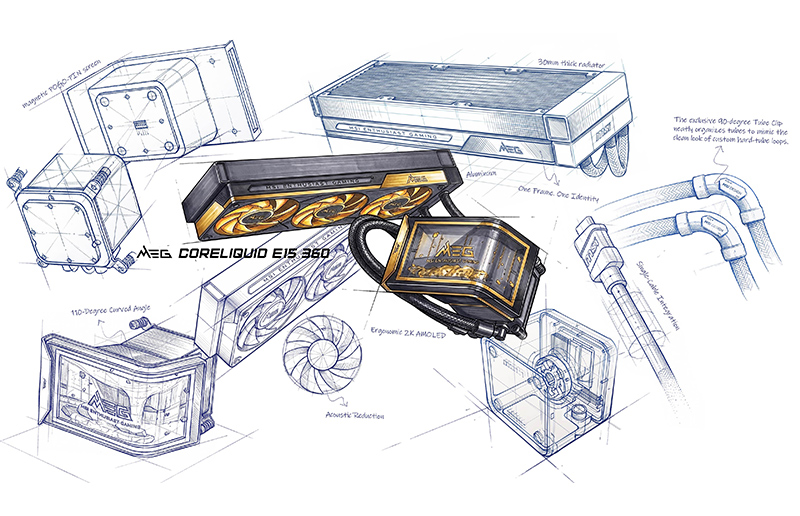
- CPU散熱器: MSI MAG CORELIQUID E360
- 電源供應器: MSI MPG A1000G PCIE5
- 作業系統: Windows 11 22H2
MSI Z790/ B760系列主機板:
https://tw.msi.com/Landing/intel-13th-gen-raptor-lake-z790-b760-motherboard
MSI GEFORCE RTX 40 系列顯示卡:
https://tw.msi.com/Landing/GeForce-RTX-40-graphics-cards/graphics-cards
MSI水冷散熱器:
https://tw.msi.com/Liquid-Cooling
MSI 電源供應器:
https://tw.msi.com/Power-Supply
https://tw.msi.com/Landing/intel-13th-gen-raptor-lake-z790-b760-motherboard
MSI GEFORCE RTX 40 系列顯示卡:
https://tw.msi.com/Landing/GeForce-RTX-40-graphics-cards/graphics-cards
MSI水冷散熱器:
https://tw.msi.com/Liquid-Cooling
MSI 電源供應器:
https://tw.msi.com/Power-Supply